In this article
When WordPress enters a corporate website discussion, the decision can quickly become a choice between theme demos or plugin lists. For the business, the more important questions concern who updates the content and how the system will be maintained. Choosing a platform and approving a design are different decisions. This guide assesses WordPress through everyday publishing tasks, necessary functions and ongoing responsibilities. It does not prescribe one platform for every project; it connects the choice to real content requirements and the capacity of the receiving team.
Quick answer
WordPress is open source software for publishing and managing website content. Themes contribute to presentation, while plugins can add functions. Before choosing a platform, define editing tasks, integrations and maintenance ownership. Aim for a manageable system meeting actual requirements rather than the longest plugin list. The name of the software does not by itself establish the design, project scope or quality of handover.
List the content people will actually update
News, services, product information and team profiles may change at different intervals. Identify the people responsible for each area. A hypothetical manufacturer might update product descriptions internally while leaving homepage layout changes to a design team. That distinction informs editing screens and permissions. Assess the platform through those recurring tasks rather than only the first impression of a polished homepage or an example site with unrelated content.
Distinguish a theme demonstration from design approval
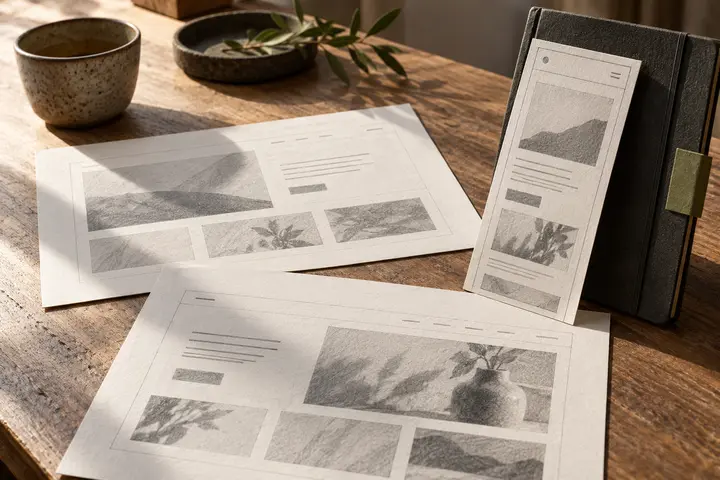
A ready-made theme does not automatically match a brand’s information structure. Replace short demo headings with actual service names. Review the layout with your photographs, tables and second language. Liking a demonstration and approving a usable page system are separate steps. Make identity and usability decisions with representative information. Attractive placeholder material can conceal the difficulties an editor encounters when ordinary business content replaces the sample.
Justify each plugin through a specific requirement
Forms, translated content or integrations may require additional functions. Write down the expected task first. Discuss an appropriate implementation with the technical team rather than accumulating popular tools with overlapping purposes. Clarify licensing, fees and maintenance in the proposal. Even a current feature list does not explain the complete workflow. Ask who configures it, who receives notifications and how the next person takes responsibility when the project is handed over.
Plan maintenance beyond the launch date
WordPress documentation discusses plugin updates and the importance of a current backup. State who performs maintenance, which functions are checked afterwards and whom the business contacts when something fails. Identify important tasks such as forms, search and language navigation. If maintenance is excluded, make that clear during quotation. A successful launch confirms a moment in time; it does not establish the responsibilities needed to keep the website useful afterwards.
Test the handover with a realistic editing exercise
Ask a hypothetical content owner to add a news item, replace its cover and preview the result. Observe whether the design remains coherent. Training should cover actual tasks rather than only a quick tour of the dashboard. Explain which areas are restricted and where assistance is available. Keep credentials out of the training document; establish accounts and permissions separately through an appropriate process and record the person responsible for future access changes.
Discuss requirements with BOCW before fixing the platform
Share editing frequency, current content, languages, integrations and the team’s experience. If WordPress is appropriate, clarify whether the proposal covers design, implementation, training and maintenance. This article does not assert that the BOCW website uses a particular platform; it helps define a project requirement. Compare solutions through the same content task, accessibility expectations and handover conditions so a software name does not replace an understandable scope of work.
Key takeaways
- Describe editing tasks before selecting a platform.
- Assess themes, custom design and plugin functions separately.
- Include maintenance, backups and editor training in scope discussions.
Frequently asked questions
Is WordPress only for blogs?
It can manage different kinds of website content. Whether it suits a corporate project depends on requirements and the intended operating arrangement.
Do more plugins make a better website?
No. Relevant functions, compatibility and maintainability matter. The number of installed tools is not a useful quality measure by itself.
Should the handover include training?
If the business will edit content, realistic task-based training and a responsibility record are useful. Agree the actual scope before delivery.